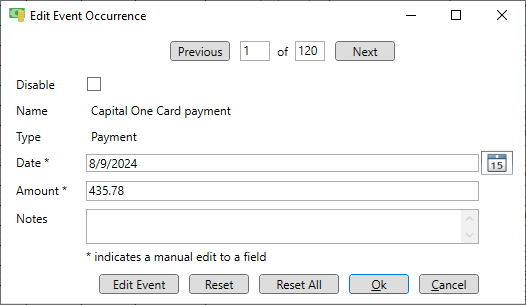
Modify an upcoming event
Events are expanded into individual occurrences (or instances) and listed in chronological order on the home page. It is possible to edit specific properties of each occurrence, such as the enable state, date, amount or notes of upcoming event occurrences. This can be done on the home page by double clicking on the occurrence or right-clicking to bring up the context menu. It can also be done on the event page by right-clicking in the event to bring up the context menu. This opens the "Edit Event Occurrence" window where the properties can be changed. When this event occurrence is completed these entries will be shown in the "Event Complete" window. Other occurrences of the event can be viewed by clicking the "Previous" or "Next" buttons.